You upload a digital photo with your DS-160. A photo that breaks the rules is one of the most common reasons for delays, so get it right before you start.
The rules for the photo itself
- Taken in the last six months, showing how you look now.
- In colour, against a plain white or off-white background.
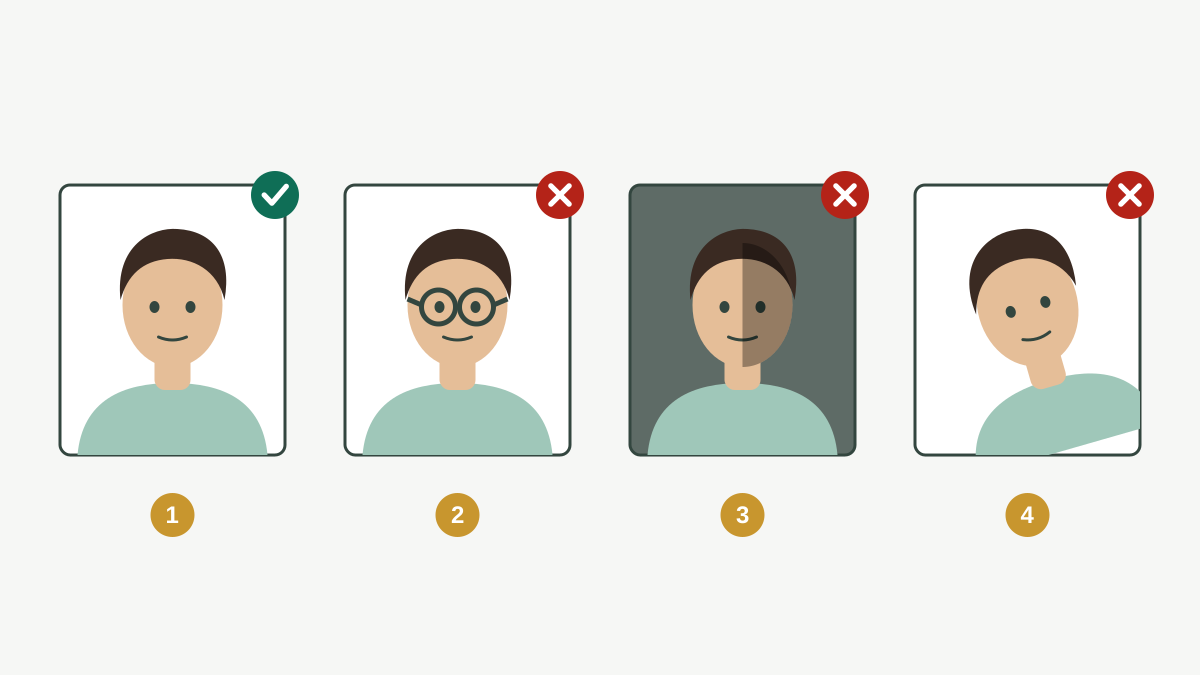
- Full face, looking straight at the camera, neutral expression, both eyes open.
- No eyeglasses. Glasses are no longer allowed in visa photos (except in rare medical cases with a signed statement).
- No hats or head coverings, except those worn daily for religious purposes. A religious head covering must not hide your face or cast shadows on it.
- No headphones or wireless devices.
- Not edited or filtered to change your appearance. Casual snapshots and selfie-style phone photos are not accepted.
The rules for the digital file
| Rule | Requirement |
|---|---|
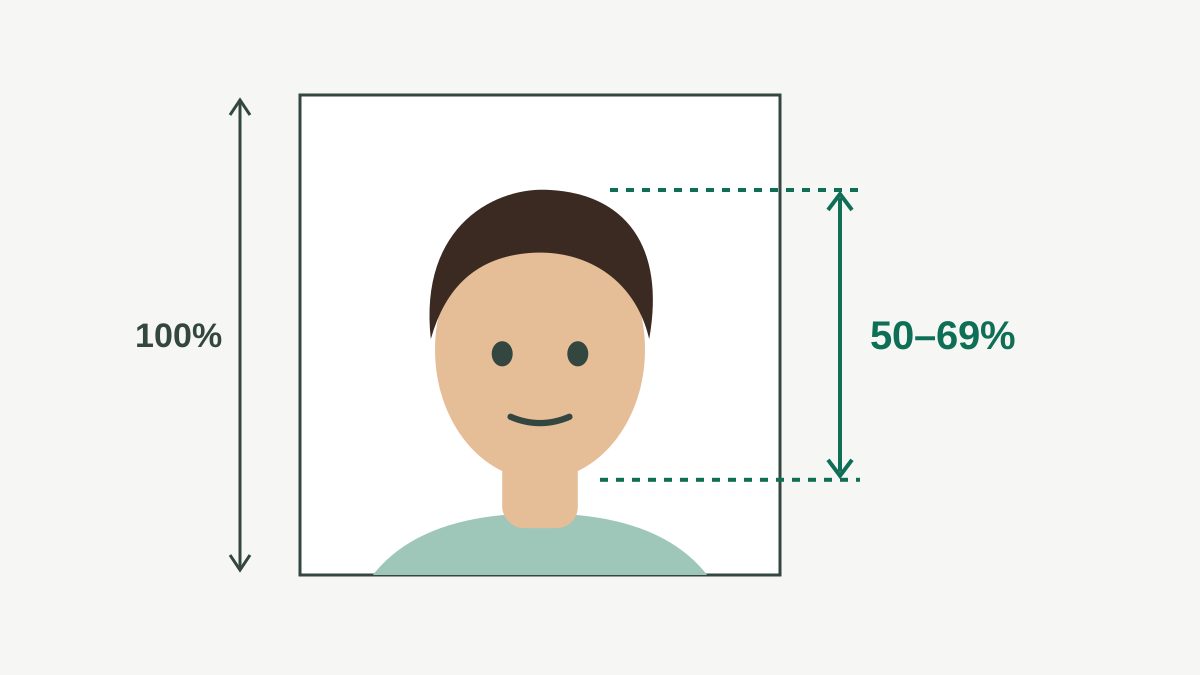
| Shape | Square (width equals height) |
| Size in pixels | At least 600 × 600, at most 1200 × 1200 |
| File type | JPEG (.jpg) |
| File size | 240 kB or less |
| Colour | Colour (sRGB) |
How to get a good photo
- A photo studio that knows US visa photos is the easiest option. Ask for the digital file, not only prints.
- If you take it yourself: stand in front of a plain white wall, use daylight from in front of you (not behind), ask someone else to hold the camera at your eye level, and crop to a square.
- The DS-160 checks the photo when you upload it. If it is rejected, read the reason, fix that one thing and try again.
If the upload fails
If your confirmation page later shows an "X" instead of your photo, the upload did not work. Bring one printed photo that meets the same rules to your interview, together with the confirmation page, and follow the embassy's instructions.
Practice task (20 min)
- Get a recent visa photo from a studio, or take one against a plain white wall with someone else holding the camera.
- Check it against every rule in the lesson: no glasses, white background, square, 600 to 1200 pixels, JPEG of 240 kB or less.
- Write down any rule it breaks and fix it before you start the form.
Sign in or create a free account to save your progress and take the tests. Sign in